


Introduction
Microsoft’s Surface Pro series has carved out a niche in the tech world, offering a unique hybrid experience that combines the portability of a tablet with the performance of a laptop. For years, this line has served professionals, students, and creatives who crave flexibility without sacrificing productivity. Also worth reading: Best Dell Laptop for Business.
With the arrival of the Surface Pro 9, many loyal users and new buyers are keen to understand how it compares to its predecessor, the Surface Pro 8. While both devices boast a premium feel and powerful features, some essential differences could sway your decision. This comprehensive comparison of the Surface surface pro 8 vs 9 will help you determine which model best fits your workflow, lifestyle, and budget.
In the end, both devices are excellent examples of what a 2-in-1 computer should be: portable, powerful, and adaptable. Your final decision should depend on your specific needs, whether that’s budget, performance, or connectivity. Either way, you’re investing in a premium device that effortlessly blends work and play in a compact, stylish package.
Sure! Here’s a comparison table highlighting the key differences between the Surface Pro 8 and Surface Pro 9:
| Feature | Surface Pro 8 | Surface Pro 9 |
|---|---|---|
| Release Date | October 2021 | October 2022 |
| Processor Options | Intel 11th Gen Core i5/i7 | Intel 12th Gen Core i5/i7 OR ARM-based Microsoft SQ3 (5G) |
| Display | 13″ PixelSense Flow, 2880×1920, 120Hz | 13″ PixelSense Flow, 2880×1920, 120Hz |
| RAM Options | 8GB, 16GB, 32GB LPDDR4x | 8GB, 16GB, 32GB LPDDR5 (Intel) / LPDDR4x (ARM) |
| Storage Options | 128GB – 1TB SSD (removable) | 128GB – 1TB SSD (removable) |
| Battery Life | Up to 16 hours (typical use) | Up to 15.5 hours (Intel) / Up to 19 hours (ARM/5G model) |
| Ports | 2 × Thunderbolt 4, 1 × Surface Connect | 2 × Thunderbolt 4 (Intel only), 1 × Surface Connect |
| 5G Connectivity | No | Yes, on ARM SQ3 model only |
| Operating System | Windows 11 Home | Windows 11 Home |
| Pen & Keyboard Support | Supports Surface Slim Pen 2, Type Cover | Supports Surface Slim Pen 2, Signature Keyboard |
| Weight | ~891g (1.96 lbs) | Intel: ~879g, ARM: ~883g |
| Build & Design | Aluminum chassis | Same chassis & design as Surface Pro 8 |
| Price at Launch | Starting at ~$1,099 USD | Starting at ~$999 USD (Intel) / ~$1,299 USD (5G ARM version |
Surface Pro 8 vs 9
The Surface Pro 8 and Surface Pro 9, both from Microsoft’s premium 2 in 1 lineup, share a similar design but differ notably under the hood. The Surface Pro 8 runs on 11th Gen Intel Core processors and features Thunderbolt 4 support, offering solid performance for everyday productivity tasks and creative workloads.
Meanwhile, the Surface Pro 9 steps things up with 12th Gen Intel Core CPUs and gives users the choice between Intel and ARM-based Microsoft SQ3 processors, with the latter enabling 5G connectivity. The Pro 9 also slightly improves battery life and overall speed thanks to the upgraded chips.
However, aside from internal changes, both models sport the same 13 inch PixelSense Flow display with a 120Hz refresh rate and nearly identical build quality. Ultimately, the Surface Pro 9 is better suited for future proofing and mobility, while the Surface Pro 8 remains a powerful, more affordable option for users who don’t need 5G or the latest silicon.
Design and Build Quality

Visually, the Surface Pro 8 and Surface Pro 9 are nearly indistinguishable. Both models flaunt an elegant anodized aluminum body, slim bezels, and a modern 13 inch Pixel Sense touchscreen that looks stunning from any angle. The iconic built in kickstand, which allows the device to adjust to nearly any viewing angle, remains a staple of the design and continues to offer unmatched versatility for artists, note-takers, and on-the-go workers.
However, the Surface Pro 9 slightly improves on this tried-and-true design. It introduces new color options, Sapphire and Forest joining the classic Platinum and Graphite finishes. These additions might seem minor, but for users who appreciate a touch of style and personality in their tech gear, this can make a notable difference. Moreover, the Pro 9 is subtly more robust, with reinforced build quality designed to better handle everyday wear and tear.
Display
When it comes to display, both the Surface Pro 8 and 9 are on equal footing. Each sports a 13 inch Pixel Sense Flow display with a high-resolution 2880 x 1920 panel. The 3:2 aspect ratio is ideal for productivity tasks like word processing, coding, and digital art, offering more vertical space than typical widescreen laptops.
The 120Hz refresh rate ensures smooth scrolling and responsive pen input, especially when paired with the Surface Slim Pen 2. Color accuracy, brightness, and viewing angles are excellent across the board, making both models great choices for photographers, designers, and content consumers. In terms of visual experience, it’s a draw.
Performance
Here’s where the Surface Pro 9 begins to break away from the pack. The device is available in two flavors: one powered by Intel’s 12th Gen Core i5 or i7 processors (built on the Evo platform), and another featuring Microsoft’s custom ARM based SQ3 chip with 5G connectivity. The Intel variant delivers impressive improvements in multitasking, responsiveness, and energy efficiency compared to the 11th Gen processors found in the Surface Pro 8.
The ARM-powered SQ3 model targets users who prioritize battery life and connectivity over raw power. It leverages built in AI features, such as enhanced voice focus and background blur in video calls, making it a great fit for business professionals and digital nomads. While the Surface Pro 8 remains powerful in its own right, it’s a step behind in CPU and GPU performance.
Battery Life
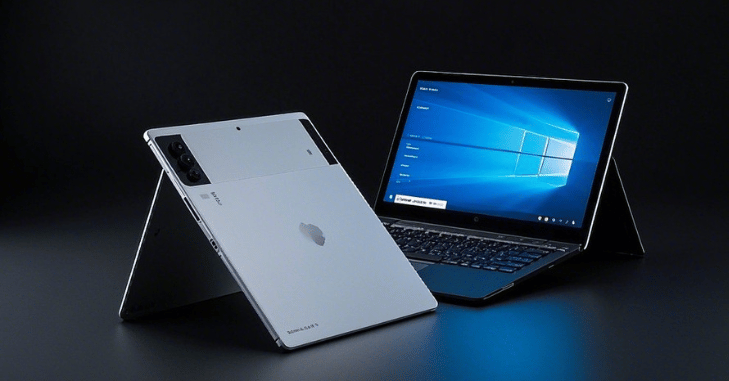
Battery life is another category where the Surface Pro 9, particularly the ARM variant, comes out on top. Microsoft claims the SQ3 model can achieve up to 19 hours of battery life under typical usage conditions. The Intel based Surface Pro 9 offers around 15.5 hours, which is still a notable improvement over the Surface Pro 8’s maximum of 16 hours.
These enhancements make the Surface Pro 9 a more suitable option for long travel days, all day conferences, or anyone working away from a power outlet. It’s worth noting, however, that battery performance can vary depending on workloads and screen brightness.
Ports and Connectivity
Port selection remains consistent between the two models, with both offering two USB C ports with Thunderbolt 4 support (for the Intel versions), a Surface Connect port for charging, and a Surface Type Cover port. This setup provides ample flexibility for docking stations, external monitors, and data transfer.
However, users opting for the Surface Pro 9 with 5G (powered by the SQ3 chip) should note that this variant lacks Thunderbolt support. In return, it gains mobile connectivity a game changer for anyone who needs reliable internet access on the move. Whether you’re uploading documents from a train or attending virtual meetings on the beach, the 5G model has you covered.
Software Compatibility
Software performance is a critical consideration, particularly when choosing between Intel and ARM architectures. The Surface Pro 8 and Intel-based Surface Pro 9 run full Windows 11 with native support for x86 and x64 applications, ensuring complete compatibility with legacy software, professional tools, and games.
The ARM based SQ3 version of the Surface Pro 9 has come a long way in terms of software compatibility, thanks to Microsoft’s improvements in emulation. Most popular applications now run smoothly, but users may still encounter hiccups with niche legacy programs or apps that depend on specific hardware. For the average user, the experience will feel nearly indistinguishable.
Accessories and Ecosystem

Both devices are compatible with Microsoft’s excellent accessories, including the Surface Slim Pen 2, Surface Type Cover, and Surface Dock. These add elevate the experience, transforming the device from a lightweight tablet into a fully functional workstation or digital sketchpad. While these accessories are sold separately, they’re essential for users who want to unlock the full potential of their Surface device.
Read More: – Dell Latitude 9510: Design, Performance, AI-Enhanced Features, Battery Life
Price
The Surface Pro 8 has become more budget friendly since the launch of the Surface Pro 9, with significant discounts available from most retailers. This makes it an appealing option for students, casual users, or professionals who want a premium experience without the premium price tag. Meanwhile, the Surface Pro 9 starts at a higher price point, especially for the 5G model.
Conclusion
So, Surface Pro 8 vs Surface Pro 9 which one deserves your hard-earned money? If you’re after the most hardware, better battery life, and the convenience of optional 5G connectivity, the Surface Pro 9 is the clear champion. It’s more powerful, more future ready, and offers greater flexibility for users who are constantly on the move.
On the other hand, the Surface Pro 8 remains a formidable contender. It delivers an excellent display, strong performance, and the same versatile form factor, all at a more affordable price. It’s a smart choice for those who want value without compromising too much on performance.
Apart from that if you want to know about “Samsung Galaxy A03S: The Ultimate Budget Smartphone with Exceptional Features and More” then please visit our “Tech” Category.
FAQs
The main differences lie in the processor options, 5G support, and performance. The Surface Pro 9 offers 12th Gen Intel Core or ARM based SQ3 processors (with 5G support), while the Surface Pro 8 uses 11th Gen Intel Core chips. The Pro 9 also has slightly better battery life and performance efficiency.
Yes, but only the ARM based Surface Pro 9 with the Microsoft SQ3 processor supports 5G. The Intel version does not.
Mostly, yes. Both are compatible with the Surface Slim Pen 2, Surface Pro Signature Keyboard, and other Surface accessories using the Surface Connect port and USB C. However, be cautious of differences in compatibility with LTE or 5G SIM slots, depending on the model.
The Surface Pro 9 with a 12th Gen Intel chip performs better than the Pro 8, especially in multitasking and CPU intensive tasks due to its newer architecture and improved efficiency cores.
It depends. If you need 5G, longer battery life, and slightly faster performance, the upgrade may be worthwhile. Otherwise, the Surface Pro 8 still holds up well for most tasks and could be more budget-friendly.