


A WiFi air conditioner is an AC unit with a built-in wireless module that connects to your home network, so you can switch it on, change the temperature, set schedules and check energy use from a phone app or a voice assistant. It cools exactly like a regular unit; the difference is control.
Used well, that control cuts wasted cooling hours and makes a room comfortable before you walk in. Used badly, it is just an expensive remote. This guide explains how WiFi air conditioners work, the types available, which features actually matter, the honest pros and cons, energy-saving habits, and how to choose and maintain a model that suits your home.
WiFi Air Conditioners at a Glance
| Question | Short answer |
|---|---|
| What it is | An AC with built-in WiFi, controlled through a manufacturer app and often Alexa or Google Assistant |
| Common types | Window units, portable units, ductless mini-splits, and central systems via a smart thermostat |
| Key features | Remote control, schedules, geofencing, energy reports, filter and fault alerts |
| Main benefit | Cooling only when and where you need it |
| Main drawbacks | Higher price, reliance on WiFi and the maker’s app, privacy and update concerns |
| Efficiency ratings to check (US) | CEER for room ACs, SEER2 for mini-splits and central systems, ENERGY STAR label |
How a WiFi Air Conditioner Works
Inside the unit, a small wireless module talks to your router, usually on the 2.4 GHz band. Commands from your phone travel to the manufacturer’s cloud service, then to the AC. That is why most smart ACs still respond from across town, and also why they need both your home internet and the manufacturer’s servers to be online for remote control. The physical buttons and infrared remote keep working if the internet goes down.
Setting one up
Setup is typically simple, and most people finish in under half an hour:
- Install the brand’s app and create an account.
- Put the AC into pairing mode, often by holding a WiFi or LED button until a light flashes.
- Connect your phone to the 2.4 GHz network and follow the app prompts to join the unit to it.
- Name the unit by room so schedules and voice commands are easy to manage later.
- Link the account to Alexa, Google Assistant or your smart home platform if you use one.
If your router combines 2.4 GHz and 5 GHz under one network name, pairing can fail. Temporarily splitting the bands, or using a router setting that broadcasts a separate 2.4 GHz network, usually solves it.
Types of WiFi air conditioners
| Type | Best for | Things to know |
|---|---|---|
| Smart window unit | Single rooms on a budget | Many newer inverter window models include WiFi |
| Smart portable unit | Rooms where a window unit cannot be fitted | Generally less efficient because of heat from the unit and exhaust hose |
| Ductless mini-split | Quiet, efficient zoned cooling | Often includes heat pump heating; WiFi built in or via an adapter |
| Central air with smart thermostat | Whole-home systems | The thermostat provides the app, scheduling and energy reports |
| Smart AC controller | Existing units without WiFi | Plug-in device that mimics your remote over infrared |
Core Features of WiFi Air Conditioners
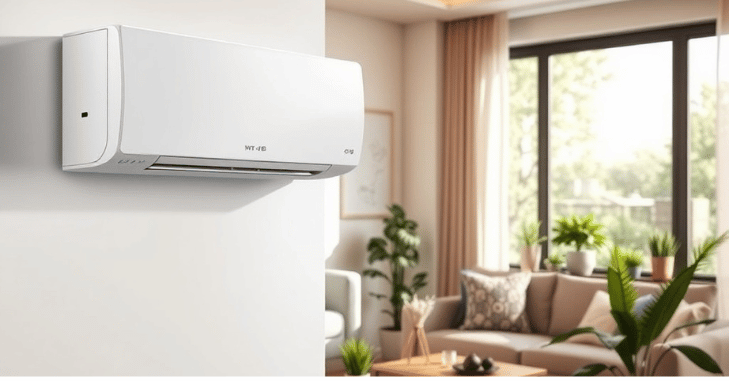
1. App control
Change mode, temperature, fan speed and louver direction from anywhere. Good apps also show the current room temperature, which is what makes remote control useful: you can see that the room is already 85°F and start cooling on your way home.
2. Voice assistant and smart home integration
Most brands link to Amazon Alexa and Google Assistant; fewer support Apple Home or Matter natively. If you already run a smart home platform, check compatibility before buying rather than assuming it.
3. Energy monitoring
Some units report estimated kilowatt-hours by day or month. It is an estimate, not a utility meter, but it is good enough to spot a unit that runs all night or a schedule that is not working.
4. Scheduling and automation
Weekly schedules let the AC follow your routine automatically, for example cooling the bedroom from 9 p.m. and easing off at dawn. For most people this is the feature that delivers the bulk of the savings.
5. Geofencing
The app uses your phone’s location to switch the AC off or into eco mode when you leave and back on as you approach. It works best in single-person homes or when every household member’s phone is included, otherwise the unit may switch off while someone is still at home.
Benefits of Using WiFi Air Conditioners

- Fewer wasted hours: no more cooling an empty apartment all day because you forgot to switch the unit off.
- Comfort on arrival: start cooling 20 to 30 minutes before you get home instead of leaving it running.
- Care for pets and family: check and adjust the room temperature remotely during a heat wave.
- Maintenance reminders: filter and fault alerts help keep airflow and efficiency up.
- Multi-unit control: manage several rooms or zones from one app.
Pros and Cons of WiFi Air Conditioners
| Pros | Cons |
|---|---|
| Remote control from anywhere | Usually costs more than a comparable non-smart unit |
| Schedules and geofencing reduce wasted cooling | Remote features need working WiFi and the maker’s cloud service |
| Voice and smart home integration | Apps vary widely in quality; some are clunky |
| Energy estimates and maintenance alerts | Requires an account and shares usage data with the manufacturer |
| Easy to add to older units with a smart controller | Support for the app can end before the hardware wears out |
A practical point on reliability: if the AC is far from your router, the connection may drop. Weak coverage is the most common cause of “offline” units, and a mesh system can help. Our review of the ASUS ZenWiFi BQ16 Pro mesh system covers how mesh networks extend coverage around a home.
Security and privacy basics
- Use a strong, unique password for the manufacturer account and enable two-factor authentication if offered.
- Keep the app and the unit’s firmware updated.
- Consider putting smart home devices on a guest or IoT network separate from your computers.
- Review the app’s permissions and turn off location access if you do not use geofencing.
Energy-Saving Tips for WiFi Air Conditioners

The WiFi module does not make the compressor more efficient. Savings come from how you use it. These habits make the biggest difference:
Schedule around occupancy
Cool rooms only when people are in them. A bedroom that is empty from 8 a.m. to 6 p.m. does not need cooling during those hours, and a schedule handles that without you remembering.
Set back, not off, in extreme heat
Raising the setpoint several degrees while you are out avoids long, hard recovery cycles, especially with inverter units, and keeps humidity from building up.
Use eco or sleep mode
These modes limit compressor output or raise the setpoint gradually overnight, which suits the way body temperature drops during sleep.
Aim for a moderate setpoint
The US Department of Energy suggests around 78°F when you are home and need cooling; every degree lower adds load. Pair a slightly higher setpoint with a ceiling fan for the same comfort at lower cost.
Keep the unit and room working for you
- Clean the filter: check it every few weeks in peak season; a clogged filter reduces airflow and efficiency.
- Reduce heat gain: close blinds on sun-facing windows during the afternoon. Window performance matters more than most people think; see our explainer on the thermal performance of windows.
- Review the energy reports: look for units running at night or while you are away, and adjust schedules.
Popular WiFi Air Conditioner Brands and What They Offer
Model names and features change every season and differ by country, so treat this as a starting point and check the current specification sheet before buying.
| Brand / line | App | Notable points |
|---|---|---|
| LG Dual Inverter | LG ThinQ | Inverter window and split units, known for quiet operation |
| Samsung WindFree | SmartThings | Split systems that cool through micro-holes to reduce drafts |
| Daikin | Daikin app (varies by region) | Wide mini-split range with strong inverter technology |
| Gree | Gree+ | Budget-to-mid mini-splits with WiFi in many models |
| Haier | Haier / hOn apps | Split and window units, some with self-cleaning functions |
How to Choose a WiFi Air Conditioner
- Size it correctly. Match BTU capacity to room size, sun exposure and ceiling height. Oversized units short-cycle and leave rooms clammy; undersized units run constantly.
- Check efficiency first, smart features second. Compare CEER for room ACs or SEER2 for mini-splits, and look for the ENERGY STAR label.
- Prefer inverter compressors. They modulate output instead of cycling on and off, which is quieter and usually more efficient.
- Read app reviews. The app is half the product; check recent ratings for reliability and update history.
- Confirm integrations. Alexa, Google, Apple Home or Matter, depending on what you use.
- Check your WiFi where the unit will sit. A quick speed test on your phone at that spot tells you whether you need a mesh node or extender.
Maintenance Tips for Long-Lasting Performance
- Clean or replace filters every few weeks during heavy use.
- Keep the outdoor unit or the window unit’s rear coils clear of leaves and debris.
- Make sure condensate drains freely to prevent leaks and odors.
- Have mini-splits and central systems professionally serviced about once a year, ideally before summer.
- If the unit keeps dropping offline, check router distance and firmware before blaming the AC.
Common Mistakes With Smart ACs
- Leaving default schedules untouched: many units ship with no schedule at all, so the smart features do nothing until you set one up.
- Cooling to very low setpoints: setting 65°F does not cool a room faster; it only makes the unit run longer once the room gets there.
- Relying on geofencing in a shared home: if only one phone is linked, the AC may switch off while others are still inside.
- Ignoring firmware updates: updates often fix connection drops and app bugs, so allow them when prompted.
- Blocking airflow: curtains, furniture or a portable unit pushed against a wall reduce efficiency no matter how clever the app is.
Bottom Line on WiFi Air Conditioners
A WiFi air conditioner is worth it when you will actually use schedules, setbacks and geofencing to stop cooling empty rooms. Choose on size and efficiency first, then on app quality and smart home compatibility, make sure your WiFi reaches the unit, and keep filters clean. Do that and the smart features pay off in comfort and lower running costs.
Frequently Asked Questions
What is a WiFi air conditioner?
It is an air conditioner with a built-in wireless module that lets you control it from a phone app or voice assistant, including schedules, temperature and mode.
Does a WiFi air conditioner save money?
It can, if you use schedules, geofencing and sensible setpoints to avoid cooling empty rooms. The WiFi itself does not make the unit more efficient.
Will it work if the internet goes down?
Yes, as a normal AC. The buttons and infrared remote still work, but app control, remote access and voice commands stop until the connection returns.
Can I make my existing AC smart?
Often yes. A smart AC controller that sends infrared signals can add app control to most remote-controlled units, and many mini-splits accept an official WiFi adapter.
Why won’t my WiFi AC connect?
Most units only support 2.4 GHz WiFi. Make sure your phone is on the 2.4 GHz network during setup, the unit is in pairing mode and the signal is strong where the AC sits.